


Gala Title
Gala Subtitle
Above is an example of the Gala Hero block. It has settings for Background Image (can control opacity and blend mode as well as focus point), Gala Image (image on the left) and whether to show the divider or not and it’s color (divider will only show if enabled and if a Gala Image is added). Then you have the option to add innerblocks (template of 2 headings already added), add whatever you would like there. You can also control the vertical alignment as well as set a minimum height if you want it larger.
I have not added a background video as an option because you mentioned you did not like the delay. Let me know if you are interested in me adding that back.
You can easily set any page to the gala template by going to Page in the sidebar then select it under Template.
For most layouts I recommend wrapping most things within my “Section” block (not to be confused with the Kadence one). This easily adds default padding and wraps content. It gives you the option to change the content wrap size, easily change background or text color (headings will not inherit the color as they default to the blue color). Can also set borders and add anchor links.
To create jump links simply add a paragraph and style to your choosing, then link each to the appropriate section:
signature events | event schedule | young professional | sponsors
Signature Events
Above is an example title. To set the anchor link, click on the section or heading you want to link to and, under “advanced” type in a unique identifier to link to.
If you would like to add the lines under the titles go to “Advanced” under the Heading block settings, then input the class of “line-after-title”. This will take from the “page accent color” defined page-by-page (visible at the very bottom under Page Settings). Sorry there’s not a prettier way of doing this. An alternative would be to use the Divider from Ultimate Blocks after the heading.
I’ve also set a Gala Gold color for you to use. If you would like to add to your color pallette you can do so from the main dashboard by going to Appearance > Edit > Styles > Color.
2025 Event Schedule
I have combined all of the options of the previous boxes in the templates down to 2 flexible blocks.
Using the “Boxes” block you can do a variety of things:
- Set # of boxes desired for that section
- Set images aspect ratio and fit
- Set vertical alignment if needed
- Set # of columns + spacing between if you want a different layout as well as the tablet and mobile options for that.
- Can be used for young professionals, logo links, staff images and more.
Inside each “Boxes” block is a “Box” individual block. I chose to make this it’s own block so they look consistent but also have innerblocks inside them allowing you to add whatever you want. I’ve created a simple template for the standard titles, but feel free to add whatever you would like in the box.
Each “Box” block has the following options in the sidebar:
- Set the image (will default to site logo if none is set)
- Also can change the “focus point of an image” as well as set custom alt/title for SEO (specific to this image, rather than just the default in the media library. If none is added it will default to whatever is already in media library.
- Input text that will be visible upon hover
- Option to link the image (ex: Events)
- Option to “expire” image to black and white after a set date passes.
- Ability to easily add innerblocks of any kind inside each block: ex: buttons, additional text, list.
Below are some example uses.

Business After Hours
Monthly
Card Title 2
card subtitle text
Or whatever else you want in these

Snap Fitness – Pleasant View
January 8

Business After Hours
Monthly

Card Title 2
card subtitle text
Or whatever else you want in these

Snap Fitness – Pleasant View
January 8
2025 Young Professional of the year

Text Text Text Text Text Text Text Text Text Text Text Text Text Text Text Text Text Text Text Text Text Text Text Text Text Text Text Text Text Text Text Text Text Text Text Text Text Text Text Text Text Text Text Text Text Text Text Text Text Text Text Text Text Text Text Text Text Text Text Text Text Text Text Text Text Text Text Text Text Text Text Text Text TextText Text Text Text Text Text Text Text Text Text Text Text Text Text Text Text Text Text Text Text Text Text Text Text Text Text Text Text Text Text Text Text Text Text Text Text Text Text Text Text Text Text Text Text Text Text Text Text Text Text Text Text Text Text Text Text Text Text Text Text Text Text Text Text Text Text Text Text Text Text Text Text Text Text Text Text Text Text Text Text Text Text Text Text Text Text Text Text Text Text Text Text Text Text Text Text Text Text Text Text Text Text Text Text Text Text Text Text Text
Box Title
Box Subtitle

Text Text Text Text Text Text Text Text Text Text Text Text Text Text Text Text Text Text Text Text Text Text Text Text Text Text Text Text Text Text Text Text Text Text Text Text Text Text Text Text Text Text Text Text Text Text Text Text Text Text Text Text Text Text Text Text Text Text Text Text Text Text Text Text Text Text Text Text Text Text Text Text Text TextText Text Text Text Text Text Text Text Text Text Text Text Text Text Text Text Text Text Text Text Text Text Text Text Text Text Text Text Text Text Text Text Text Text Text Text Text Text Text Text Text Text Text Text Text Text Text Text Text Text Text Text Text Text Text Text Text Text Text Text Text Text Text Text Text Text Text Text Text Text Text Text Text Text Text Text Text Text Text Text Text Text Text Text Text Text Text Text Text Text Text Text Text Text Text Text Text Text Text Text Text Text Text Text Text Text Text Text Text
Box Title
Box Subtitle

Text Text Text Text Text Text Text Text Text Text Text Text Text Text Text Text Text Text Text Text Text Text Text Text Text Text Text Text Text Text Text Text Text Text Text Text Text Text Text Text Text Text Text Text Text Text Text Text Text Text Text Text Text Text Text Text Text Text Text Text Text Text Text Text Text Text Text Text Text Text Text Text Text TextText Text Text Text Text Text Text Text Text Text Text Text Text Text Text Text Text Text Text Text Text Text Text Text Text Text Text Text Text Text Text Text Text Text Text Text Text Text Text Text Text Text Text Text Text Text Text Text Text Text Text Text Text Text Text Text Text Text Text Text Text Text Text Text Text Text Text Text Text Text Text Text Text Text Text Text Text Text Text Text Text Text Text Text Text Text Text Text Text Text Text Text Text Text Text Text Text Text Text Text Text Text Text Text Text Text Text Text Text
Box Title
box Subtitle

Text Text Text Text Text Text Text Text Text Text Text Text Text Text Text Text Text Text Text Text Text Text Text Text Text Text Text Text Text Text Text Text Text Text Text Text Text Text Text Text Text Text Text Text Text Text Text Text Text Text Text Text Text Text Text Text Text Text Text Text Text Text Text Text Text Text Text Text Text Text Text Text Text TextText Text Text Text Text Text Text Text Text Text Text Text Text Text Text Text Text Text Text Text Text Text Text Text Text Text Text Text Text Text Text Text Text Text Text Text Text Text Text Text Text Text Text Text Text Text Text Text Text Text Text Text Text Text Text Text Text Text Text Text Text Text Text Text Text Text Text Text Text Text Text Text Text Text Text Text Text Text Text Text Text Text Text Text Text Text Text Text Text Text Text Text Text Text Text Text Text Text Text Text Text Text Text Text Text Text Text Text Text
Box Title
Box Subtitle
To set the link to this style simply go to the style settings and click “outline”. If you’re adding multiple buttons then be sure to add “block spacing” in their style settings to add a gap.
Sponsored By










There are a few more blocks that I have created for the homepage, feel free to use those as you see fit. Unfortunately some shortcodes don’t render that great in the editor so not everything will show up perfect on the editing side.
Below are a few other blocks I’ve included for you to use:
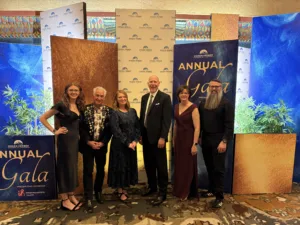
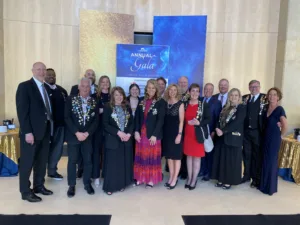
Gallery (with lightbox effect)




Blogs
Easily show a set # of recent blog posts

Bechtel Gives Back: $30,000 Awarded to Northern Utah Nonprofits!
October 20, 2026

Legacy Businesses Succeeding in Weber County
September 30, 2026
Extended Your 2025 Tax Return? Your Fall 2026 Deadline Is Approaching
September 14, 2026
FAQs
Create accordion-style FAQs or dropdowns:
-
Title
text -
Title
text -
Title
text
Tabs
Tab Title
Tab Text

Another Tab Title
More Tab Text
3rd Tab
More info
Play around with the blocks and get used to them all. For some that use the Repeater field in ACF you will need to click the pencil icon to switch it to edit mode. Kind of annoying but it is what it is. Thankfully ACF is working on better UI and previewed it recently so it should be improving soon.